How to Choose the Correct Remote for the HL-V5-L(WT) Wireless LED Controller
Why this matters
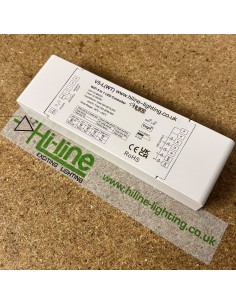
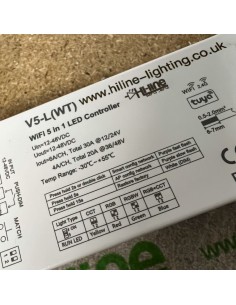
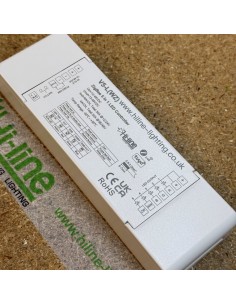
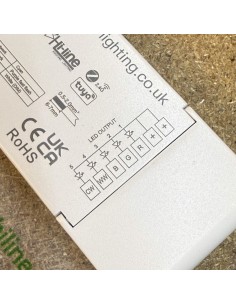
The HL-V5-L(WT) wireless controller is a multi-type LED controller. This means it can operate several different LED strip types depending on how it is configured.
Because of this flexibility, the remote control must match the LED strip type, not just the controller itself.
If the wrong remote type is used, the controller may power up but behave incorrectly. For example, colours may not respond correctly, white channels may not work properly, or some functions may appear missing.
Step 1 – Identify the LED strip type
Before selecting a remote control, confirm which type of LED strip you are installing.
The most common types are:
Single Colour
One output channel.
Tunable White / CCT
Two white channels (Warm White and Cool White).
RGB
Three colour channels (Red, Green, Blue).
RGBW
Four channels (RGB plus one White channel).
RGB+CCT
Five channels (RGB plus Warm White and Cool White).
The remote control must always match the same strip type.
Step 2 – Understand how the HL-V5-L(WT) controller works
The HL-V5-L(WT) is a configurable controller. It can be set to drive different strip types using the DIP switches on the controller.
For example, the controller can be set to:
RGB
RGBW
RGB+CCT
or other supported modes.
The DIP switch configuration must match the LED strip type being installed.
The correct DIP switch positions are shown in the controller manual, which is available on the product page.
To view this:
-
Open the controller product page
-
Click the Attachments tab
-
Download the PDF manual
-
Follow the DIP switch diagram for the correct strip type
Once the controller is set to the correct mode, the RUN indicator LED will confirm the operating mode.
Step 3 – Choose the correct remote control
Because the controller can operate multiple strip types, you may see several remotes listed as compatible with the controller.
However, the correct remote must match the LED strip type, not just the controller.
Examples:
Single colour strip
Use a single colour remote or wall panel.
Tunable White / CCT strip
Use a CCT remote designed for Warm White and Cool White control.
RGB strip
Use an RGB remote.
RGBW strip
Use an RGBW remote.
RGB+CCT strip
Use an RGB+CCT remote or wall panel.
For example, the HL-R17 remote is designed for RGB+CCT LED strips.
Using an RGB or RGBW remote with an RGB+CCT strip will not provide the correct control signals for the white channels.
Step 4 – Use the “Related Products” tab
The easiest way to find compatible accessories is through the Related Products tab.
When viewing an LED strip on the website:
-
Open the LED strip product page
-
Click the Related Products tab
-
Check the accessories listed for that specific strip
This section lists compatible controllers, remotes, and accessories for that product where applicable.
Step 5 – Reset and re-pair if the wrong remote was used
If a controller was previously paired with the wrong remote type, it is recommended to reset the controller and set it up again.
Typical process:
-
Reset the controller (refer to the manual for the exact procedure)
-
Set the DIP switches to match the correct LED strip type
-
Pair the correct remote again from scratch
This ensures the controller starts with the correct configuration.
Need help choosing the correct controller or remote?
If you are unsure which remote or wall panel to use, contact our support team before ordering.
Please include:
The LED strip reference
The controller reference
The approximate installation length
Our team can then confirm the correct matching accessories.