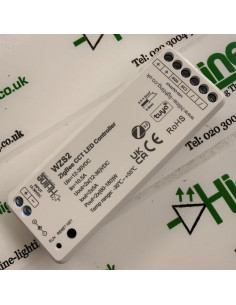
Zigbee, not the Wi-Fi router
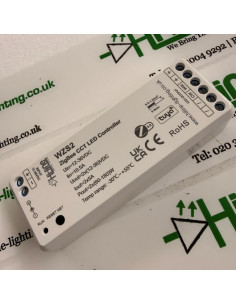
The HL-WZS2 is a Zigbee controller for a tunable white LED strip. It does not connect to your Wi-Fi router, and it does not need a phone app of its own.
The Alexa device in the room has to contain a Zigbee radio. An Echo Plus is the straightforward example. An Echo (4th generation), an Echo Studio and an Echo Hub have that radio as well. A standard Echo Dot, an Echo Pop and an Echo Show 5 do not. Those speakers can still talk to lights that are already on the account, but they cannot find this controller.
What you need
- The Zigbee CCT controller, HL-WZS2.
- A tunable white strip with three wires: +, warm white (WW) and cool white (CW).
- A constant-voltage LED driver at the same voltage as the strip. This controller accepts 12–36 V DC.
- An Echo Plus, or another Alexa device with Zigbee, already online in the Alexa app.
Wire the driver to the controller, then the three strip wires to +, WW and CW. Match + to +, warm to WW and cool to CW. Power on. Place the controller within about two metres of the Echo Plus for the first join.
Five presses, then one sentence
- Press RESET NET on the controller five times. The strip breathes, brighter then dimmer. That is the controller waiting to be found. The breathe on this model shows on the cool chips. That is normal.
- Say “Alexa, discover my devices.” The light ring on the Echo Plus turns while it searches.
- When Alexa announces a new light, open the Alexa app and give it a plain name, such as Kitchen strip.
That is the join. There is no Wi-Fi password and no second hub.
If the strip does not breathe, switch the driver off and on five times, about two seconds off and two seconds on, until the breathe starts. Then say the discover phrase again while it is still breathing.
Brightness, warm and cool
Once the light is in the app, control is immediate:
- “Alexa, turn on Kitchen strip.”
- “Alexa, turn off Kitchen strip.”
- “Alexa, set Kitchen strip to 50 percent.”
- “Alexa, set Kitchen strip to warm white.”
- “Alexa, set Kitchen strip to cool white.”
The same controls are on the device page in the app: a brightness slider and a warmth slider.
Named colours
A named look is a routine. One routine per look.
- Alexa app, More, Routines, then +.
- When this happens, then Voice. Type the phrase, for example kitchen warm.
- Add action, Smart Home, then Kitchen strip. Set it on, choose the brightness, and set the warmth.
- Save.
Say “Alexa, kitchen warm”. Make a second routine, kitchen cool, with the slider at the cool end. “Alexa, turn on kitchen warm” starts that saved look. “Alexa, turn off Kitchen strip” switches the strip off.
An example set
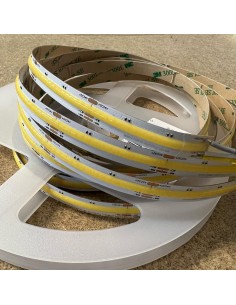
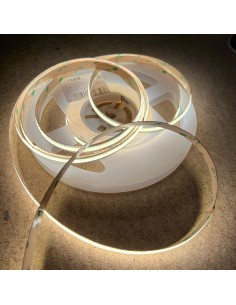
A 5 m roll of the 24 V COB tunable white strip below is 15 W per metre, so the roll is 75 W. A 100 W 24 V constant-voltage driver covers that run. The 10 m roll is the same strip and needs a larger 24 V driver.
Longer run: the 10 m roll of the same strip. Size the driver to 150 W plus headroom. Do not run that roll from the 100 W driver above.
Use this controller on tunable white strip only. Single colour, RGB, RGBW and RGB with tunable white each have their own controller in the same Zigbee series. The join is the same five presses. Hi-Line 2.4 GHz handsets and wall panels do not pair to this model.